
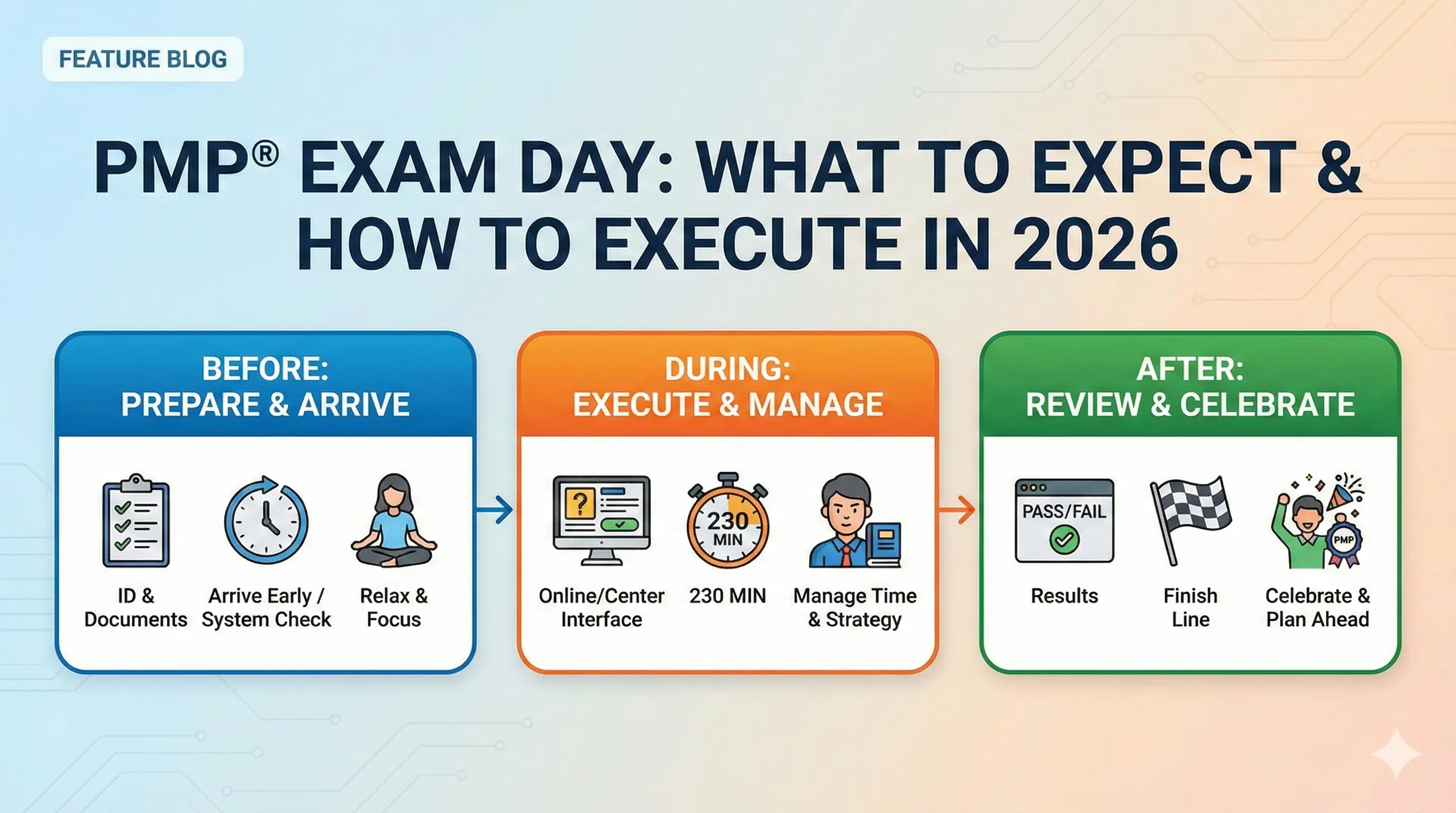
You've studied for months, passed your mock exams, and scheduled your test date. Now it's time to execute. The PMP exam is a nearly four-hour mental marathon, and how you approach exam day matters as much as what you know.
This guide covers everything from the days before your exam through getting your results—with specific guidance for both test center and online proctoring experiences. For a complete overview of the certification, see our PMP Certification Guide.
The Days Before Your Exam
The final week isn't the time for intensive studying. Your knowledge is set. Now focus on arriving at your exam rested, confident, and ready to perform.
Final week strategy:
- Light review only—no new material
- Review your brain dump sheet (key formulas, concepts you want fresh)
- Take one final mock exam early in the week if you haven't recently
- Focus on weak areas briefly, but don't obsess
- Begin tapering study time by mid-week
The day before:
- No studying after noon (your brain needs rest)
- Confirm your exam appointment details
- Test center: verify location, plan your route, check parking
- Online: run the system check, prepare your workspace
- Prepare what you'll bring or set up
- Eat well and stay hydrated
- Go to bed at your normal time—don't try to sleep extra early
What not to do:
- Don't cram the night before—it increases anxiety without improving performance
- Don't try new study materials or discover "gaps" you missed
- Don't stay up late reviewing
- Don't make major changes to your routine
Mental preparation:
Remind yourself: you've prepared thoroughly. You've passed mock exams. You know this material. The exam is just an opportunity to demonstrate what you've learned.
Some anxiety is normal and even helpful—it keeps you sharp. But excessive worry undermines performance. Trust your preparation.
Test Center Experience
If you're taking the exam at a Pearson VUE test center, here's what to expect.
Before you leave:
Gather everything you need the night before:
- Valid government-issued ID — Must match your PMI registration name exactly. Bring a second form of ID as backup.
- Appointment confirmation — Print or have it accessible on your phone
- Snacks and water — For your breaks (you can't access these during the exam)
- Light jacket or sweater — Testing rooms are often cold
- Minimal personal items — Leave valuables at home; you'll store everything in a locker
What NOT to bring into the testing room:
- Phone (stored in locker)
- Watch (including fitness trackers)
- Wallet (stored in locker)
- Notes or study materials
- Food or drinks
Arrival:
Arrive 30 minutes before your scheduled time. This buffer accounts for:
- Finding parking
- Locating the testing center
- Check-in procedures
- Unexpected delays
Arriving late may result in forfeiting your exam and fees.
Check-in process:
- Present your ID at the front desk
- Digital photograph taken
- Palm vein scan or signature (depending on location)
- Store personal items in assigned locker
- Turn out pockets to verify they're empty
- Sign testing center agreement
Testing room setup:
- You're assigned a workstation
- Noise-canceling headphones often available
- Scratch paper or erasable notepad provided
- On-screen calculator available during exam
- Raise your hand to get proctor attention if needed
Using the restroom:
You can use the restroom during the exam, but the clock doesn't stop. Raise your hand, the proctor will escort you through check-out/check-in procedures. This costs valuable time—better to use breaks strategically.
Your two scheduled breaks:
After question 60 and question 120, you'll have optional 10-minute breaks. During breaks:
- Access your locker for snacks and water
- Use the restroom without losing exam time
- Step outside the testing room briefly
- Reset mentally before the next section
Take both breaks. The mental refresh is worth more than the time saved by skipping them.
Online Proctoring Experience
If you're taking the exam from home via OnVUE, the experience is different. Preparation is crucial.
24+ hours before:
Run the Pearson VUE system check to verify:
- Computer meets minimum requirements
- Webcam and microphone functioning
- Stable internet connection
- OnVUE software installs correctly
Don't skip this. Technical issues on exam day can delay or cancel your attempt.
Workspace requirements:
Your testing environment must meet strict standards:
- Private room with closed door
- Clear desk — nothing except computer, keyboard, mouse
- No dual monitors — disconnect or cover second screens
- No phones or smart devices visible
- No papers, books, or notes in view
- No one else can enter the room during the exam
- Adequate lighting — the proctor must see you clearly
Consider where in your home you can create this environment. Many candidates use a home office, spare bedroom, or even clear out a dining room temporarily.
Day of exam setup:
- Close all applications except OnVUE
- Disable notifications
- Ensure your computer is plugged in (don't rely on battery)
- Have your ID ready for verification
- Remove watches and jewelry that might cause concern
- Use the restroom before starting
Check-in process:
- Launch OnVUE software at your scheduled time
- Take photos of your ID using your webcam or phone
- Take photos of your workspace (all four walls, desk surface, under desk)
- Wait for proctor connection
- Follow proctor instructions for any additional verification
- Proctor releases your exam
Check-in typically takes 15-30 minutes. Don't be alarmed if it runs longer—technical verifications sometimes require patience.
During the exam:
- Stay visible on webcam at all times
- Don't cover your mouth or look away from screen for extended periods
- Speak only to the proctor via chat (talking aloud may trigger review)
- Don't reach off-screen or below your desk
- The proctor monitors you throughout—this can feel awkward but is normal
Bathroom breaks with online proctoring:
This is more complicated than at a test center. You can take your scheduled breaks after questions 60 and 120, but:
- You may need to show your workspace again when returning
- The proctor may require additional verification
- Plan to use the restroom before the exam starts
Some candidates find online proctoring stressful for a four-hour exam specifically because of bathroom considerations. If this concerns you, the test center may be a better choice.
Technical issues:
If you experience technical problems:
- Use the chat function to contact your proctor immediately
- Don't close the application or restart without proctor guidance
- Document what happened (screenshot if possible)
- If disconnected, try to reconnect—there are protocols for resuming
Pearson VUE has procedures for technical difficulties, but prevention is better. A wired internet connection is more reliable than WiFi.
During the Exam: First Section (Questions 1-60)
The exam begins. Take a breath. You're ready for this.
The first few questions:
Don't panic if the first questions seem difficult. PMI doesn't arrange questions by difficulty—you might encounter hard questions early. This doesn't predict your outcome.
Read each question carefully. Many wrong answers come from misreading, not lack of knowledge.
Establishing your rhythm:
You have approximately 77 seconds per question on average. Some questions take 30 seconds; others take 2-3 minutes. The key is maintaining overall pace.
Pacing checkpoint:
After 30 questions, roughly 38 minutes should have elapsed. After 60 questions, aim to be at or under 75 minutes. This leaves buffer time and accounts for the break.
Flagging strategy:
When you encounter a difficult question:
- Eliminate obviously wrong answers
- Make your best choice
- Flag the question
- Move on
Don't spend more than 2-3 minutes on any single question during your first pass. Flagged questions can be reviewed before you end the section.
Before taking Break 1:
Review your flagged questions from this section. Once you take the break, you cannot return to questions 1-60. Make final decisions, then proceed to your break.
During the Exam: Middle Section (Questions 61-120)
The middle section is often where fatigue begins. Stay focused.
Mental reset after break:
Use your first break effectively:
- Physically stand and stretch
- Have a small snack (nuts, fruit, protein bar)
- Drink water
- Use the restroom
- Take a few deep breaths
- Don't review notes or think about previous questions
Return to the exam with fresh energy.
Managing fatigue:
By question 90 or 100, you've been concentrating intensely for over two hours. This is when mistakes creep in:
- Read questions more carefully, not less
- Watch for "not" and "except" in question stems
- Don't rush just because you're tired
- Maintain your flagging discipline
Pacing checkpoint:
After 90 questions, roughly 115 minutes should have elapsed. After 120 questions, aim for around 150 minutes. If you're significantly behind, you may need to reduce time spent on flagged question review.
Before taking Break 2:
Same process: review flagged questions from this section (61-120 only), make final decisions, then take your second break. Questions 1-120 are now locked.
During the Exam: Final Section (Questions 121-180)
The final 60 questions. You can see the finish line.
Second break importance:
Take this break even if you feel fine. You still have 60 questions and approximately 75+ minutes ahead. The mental reset prevents late-exam errors.
During the break:
- Another light snack if needed
- More water
- Restroom
- Brief stretching
- Mental encouragement—you're two-thirds done
Final push strategies:
Fatigue is real. Combat it:
- Sit up straight—posture affects alertness
- Take a deep breath before each question
- If your mind wanders, refocus on the current question
- Maintain your pace—don't race to finish
The final 10-20 questions:
Some candidates rush at the end, eager to finish. Resist this urge. The last questions count exactly as much as the first. Maintain your careful reading and thoughtful answering.
Reviewing flagged questions:
After question 180, you can review flagged questions from this section only (121-180). Use remaining time to reconsider any you're uncertain about.
General guidance: your first instinct is often correct. Only change answers if you have a clear reason—not just anxiety-driven second-guessing.
When to stop:
At some point, additional review yields diminishing returns. If you've addressed your flagged questions and feel reasonably confident, end the exam. Sitting and staring at questions you've already answered twice rarely improves scores.
After You Finish
The exam is over. Now what?
Immediate survey:
Before seeing your result, PMI asks you to complete a brief survey about your exam experience. Answer honestly—this feedback helps PMI improve the certification process.
Your preliminary result:
After the survey, your preliminary pass/fail result appears on screen immediately. This is the moment of truth.
If you see "Congratulations"—you passed. Take a moment to appreciate your accomplishment. Months of work have paid off.
If you see that you did not pass—this is disappointing but not final. You can retake the exam, and many successful PMPs didn't pass on their first attempt.
Score report:
Your detailed score report arrives via email within 1-3 business days. It shows your performance level in each domain:
- Above Target
- Target
- Below Target
- Needs Improvement
This breakdown helps you understand your strengths and—if you need to retake—where to focus additional study.
If you passed:
Within a few days, you'll receive:
- Official confirmation email from PMI
- Digital badge to share on LinkedIn
- Access to your certification record
- Information about maintaining your PMP (PDU requirements)
Update your LinkedIn profile, notify your employer, and celebrate your achievement.
If you didn't pass:
First, give yourself time to process the disappointment. Then:
- Review your score report to identify weak domains
- Analyze what went wrong: was it content knowledge, test-taking strategy, time management, or fatigue?
- You can retake the exam after waiting a period specified by PMI (check current policies)
- Adjust your study plan to address identified gaps
- You have two more attempts within your one-year eligibility window
Many candidates pass on their second attempt with targeted additional preparation.
Exam Day Quick Reference
Test Center Checklist:
- Valid ID (matches PMI registration exactly)
- Appointment confirmation
- Arrive 30 minutes early
- Snacks and water for breaks
- Light jacket (rooms are cold)
Online Proctoring Checklist:
- System check completed 24+ hours before
- Private room with closed door
- Clear desk, no dual monitors
- Valid ID ready
- Computer plugged in, notifications disabled
- Use restroom before starting
Time Management Targets:
- Questions 1-60: ~75 minutes
- Break 1: 10 minutes
- Questions 61-120: ~75 minutes
- Break 2: 10 minutes
- Questions 121-180: ~75 minutes
- Buffer/review: ~5 minutes
Key Reminders:
- Read every question carefully
- Flag and move on difficult questions
- Take both breaks
- First instinct is usually correct
- Don't change answers without clear reason
You're Ready
If you've followed a structured study plan, consistently scored 75%+ on mock exams, and understand the material rather than just memorizing it—you're prepared.
Trust your preparation. Execute your strategy. And soon, you'll be adding PMP to your name.
For a refresher on the exam structure, see our PMP Exam Format guide. To review what's tested, revisit the PMP Exam Domains.
Build your confidence with realistic practice before test day. Start with PM Drills and sharpen your exam readiness.